AI Tool Consultant

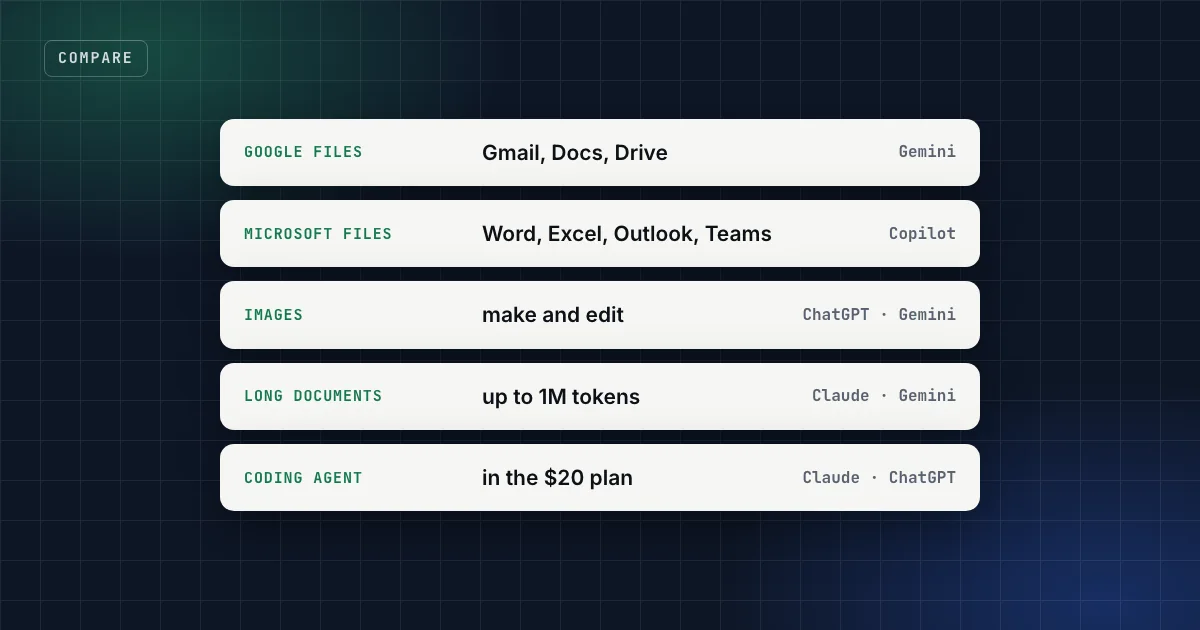
All four can write an email, summarise a PDF and answer a question with sources. That's why "which is best?" has no useful answer. What separates them is where they live and what they're built to produce: Gemini sits inside Google's apps, Copilot inside Microsoft's, ChatGPT is the broadest stand-alone app, and Claude is built around long documents and its coding agent.
The short answer
- Your files live in Gmail, Docs and Drive: Gemini. Google AI Pro puts it inside Gmail and Docs for $19.99 a month.
- Your files live in Word, Excel, Outlook and Teams: Copilot. Microsoft 365 Personal adds it to the desktop apps from $9.99 a month; at work it's Microsoft 365 Copilot.
- You need one stand-alone assistant that also makes images: ChatGPT.
- You work through long documents or want a strong coding agent: Claude, with up to 1M tokens of context on every plan and Claude Code from Pro.
- Most people need one generalist plus the assistant in the office suite they already pay for. Rarely all four.
Which AI for which job
| Job | First choice | Also fits | Why |
|---|---|---|---|
| Email, documents and files in Google Workspace | Gemini | Gemini in Gmail from AI Plus, and in Docs from AI Pro3 | |
| Word, Excel, PowerPoint, Outlook, Teams | Copilot | Copilot in the Microsoft 365 apps; at work, answers grounded in your organisation's data4 5 | |
| Making and editing images | ChatGPT | Gemini | Both generate and edit images; Gemini does so even on its free plan. Claude doesn't make photos or illustrations1 3 6 |
| Video | Gemini | Video generation from AI Plus, plus Google Flow credits3 | |
| Long reports, contracts, research packs | Claude | Gemini | Up to 1M tokens of context on every Claude plan (model permitting); AI Pro lists a 1M-token context window2 3 |
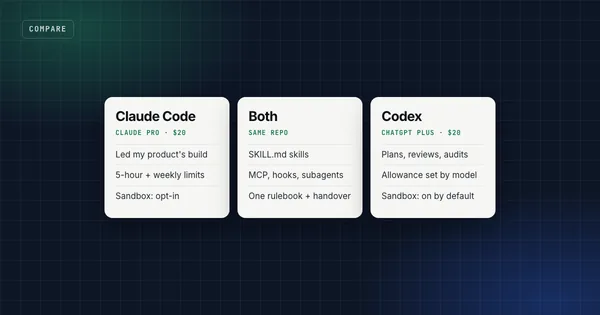
| Coding with an agent | Claude | ChatGPT | Claude Code (Pro) and Codex (Plus) lead the agent benchmark that names both9 |
| Researching a topic with sources | Any | Deep research in ChatGPT's desktop app, Research in Claude Pro, Deep Research in Gemini, Researcher in Microsoft 365 Copilot2 3 5 7 | |
| Talking it through by voice | Any | ChatGPT Voice (desktop app, Plus and up), Claude voice mode, Gemini Live2 3 8 | |
| The cheapest paid plan | Gemini | ChatGPT | Google AI Plus $4.99; ChatGPT Go $83 10 |
What each one costs
US prices from each vendor's own page, as of 1 November 2026, before tax.
| Free | Entry | Main plan | Top individual plan | |
|---|---|---|---|---|
| ChatGPT | Yes | Go $8 | Plus $20 | Pro $100, $200 or $50010 |
| Claude | Yes | Pro $20 ($17 a month billed annually) | Max $100, Ultra $2002 | |
| Gemini | Yes | AI Plus $4.99 | AI Pro $19.99 | AI Ultra $99.99 or $199.993 |
| Copilot | Yes | Microsoft 365 Personal $9.99, Family $12.99 | Microsoft 365 Premium $19.99 | Microsoft 365 Pro $99.994 |
For teams: ChatGPT Business and Claude Team cost $20 per seat a month billed annually ($25 monthly);2 10 Gemini Enterprise's Business edition starts at $21 per seat a month;3 Microsoft sells Copilot for work as an add-on to a Microsoft 365 plan: Microsoft 365 Copilot Business from $18 per user a month paid yearly (reduced from $21), or $30 for the enterprise version, and bundles such as Business Standard with Copilot cost $23.50.5
Read the Microsoft and Google prices with their bundles in mind: Microsoft 365 Personal includes the Office apps, and Google's plans include cloud storage (400 GB on AI Plus, 5 TB on AI Pro).3 4
Each one in a paragraph
ChatGPT: the broadest stand-alone app
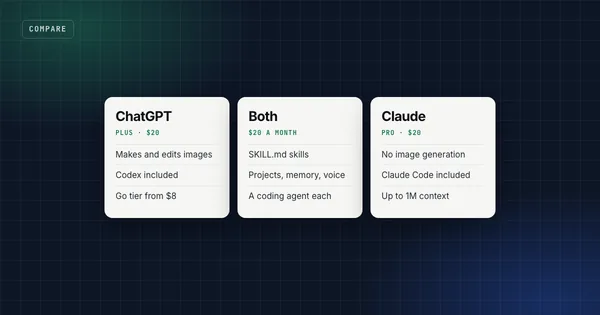
It's the generalist with the most built in: image generation and editing, voice and computer use in the desktop app, deep research, projects, memory, and Codex as its coding agent.6 7 8 10 It also has the widest price range, from Go at $8 to Pro at $500. Pick it when you want one app for most things, pictures included.
Claude: long documents and a coding agent
Every Claude plan, including Free, offers up to 1M tokens of context depending on the model, plus Projects, Skills and memory; Pro adds Research, Claude in Chrome and Claude Code.2 It doesn't generate images; it builds diagrams, charts and interactive visuals instead.1 Pick it for long writing and document work, or if you'll use Claude Code. I compared it with ChatGPT in detail in ChatGPT vs Claude.
Gemini: if your work lives in Google's apps
Even the free plan includes image generation and editing, Deep Research, Gemini Live and Gemini Notebook, Google's research and writing assistant. AI Plus ($4.99) adds video generation and Gemini in Gmail; AI Pro ($19.99) adds Gemini in Docs, Gemini 4 Argon, a 1M-token context window, entry-level access to Google's Antigravity coding platform, and 5 TB of storage.3 Pick it when Gmail, Docs and Drive are where your work already is.
Copilot: if your work lives in Microsoft's apps
For individuals, Microsoft 365 Personal, Family, Premium and Pro put Copilot into Word, Excel, PowerPoint and Outlook, with more image creation and higher limits on the more expensive plans.4 At work, Microsoft 365 Copilot grounds its answers in your organisation's data through Microsoft Graph (Microsoft calls the layer Work IQ), lets you choose between language models, and adds research and data-analysis agents.5 Microsoft says prompts, responses and Graph data aren't used to train its foundation models.11 One naming trap: GitHub Copilot, the coding assistant, is a separate subscription.12
What other reviewers found. Independent hands-on reviews of Microsoft 365 Copilot are rare. The most thorough I found, Computerworld's deep dive from July 2024 (before Microsoft added its newer agents and model choice), saw clear productivity gains in Word, Excel, PowerPoint and Outlook, especially for drafting, caught Copilot in Word inventing details for a draft, and questioned whether it was worth $30 per user a month.14 Check its drafts the way you'd check any assistant's.
The smallest stack that covers the jobs
Don't buy four overlapping assistants. A practical default:
- The assistant in your office suite, if you already pay for Google Workspace or Microsoft 365. It sees your files with the permissions you already have.
- One generalist for everything else: ChatGPT if you need images, Claude if you work through long documents or code with an agent.
- A free plan of a third for the occasional job the first two don't cover, such as Gemini's free image and video features.
If images or video are your main output, a dedicated creative suite may serve you better than any of the four; I compared two of them in Higgsfield vs Magnific.
My own setup is the second line, twice: I pay for ChatGPT Plus and Claude Pro, mostly for their coding agents, and I've used Gemini too. I haven't used Microsoft 365 Copilot, so that section rests on Microsoft's documentation and on other people's hands-on testing.
What the benchmarks say
On arena.ai's WebDev board, built from people's votes between two anonymous front-end builds, Claude Opus 5.5 was first and OpenAI's GPT-6 Astra second at its 27 October 2026 update, with Google's Gemini 4 Carbon close behind.13 Microsoft builds Copilot on models from other labs and lets business users choose between them,5 so it doesn't appear on such boards under its own name. A preference board can't tell you which assistant fits your files and your suite, which is the question this page answers.
Where my skills fit
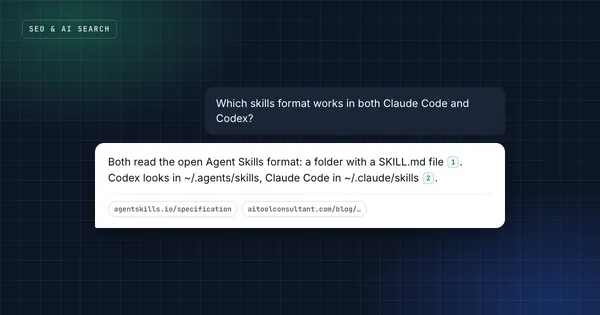
Skills in the open SKILL.md format run in Claude and in ChatGPT's skill-capable surfaces, so a written-down method works in either generalist: my SEO blog writer, for example, or the LinkedIn ghostwriter. I build and test my packs for Claude, Claude Code and Codex, so if your main assistant is Gemini or Copilot, use them in the generalist next to it.
FAQ
Which is best: ChatGPT, Claude, Gemini or Copilot?
It depends on the job and on where your files live. Gemini fits work in Gmail and Docs, Copilot fits work in Word, Excel and Outlook, ChatGPT is the broadest stand-alone app and the one with images, and Claude suits long documents and coding with Claude Code. The job map above matches each task to one.
Is Microsoft Copilot the same as ChatGPT?
No. Copilot is Microsoft's own assistant inside Windows and the Microsoft 365 apps. It uses models from other labs and, at work, lets you choose between them, and Microsoft 365 Copilot answers from your organisation's data through Microsoft Graph. GitHub Copilot is a separate coding product.
Which is cheapest?
All four have free plans. The cheapest paid plans are Google AI Plus at $4.99 a month and ChatGPT Go at $8; Microsoft 365 Personal costs $9.99 and includes the Office apps. Claude's first paid plan is Pro at $20, or $17 a month billed annually.
Which is best for coding?
Claude with Claude Code or ChatGPT with Codex; both come with the $20 plans. On Terminal-Bench 4.0 (1 November 2026), Claude Code with Opus 5.5 completed 64.8% of tasks and Codex's best runs 58.2%. Google offers its Antigravity coding platform with AI Pro, and GitHub Copilot is Microsoft's coding assistant, sold separately.
Is Gemini better than ChatGPT?
For people who live in Google's apps, often yes, because it works inside Gmail and Docs, and its free plan already makes and edits images. For a stand-alone assistant with a coding agent, ChatGPT's Plus plan includes Codex.
Do I need more than one?
Usually two at most: the assistant in the office suite you already pay for, and one generalist. Add a third only for a job neither covers.
Sources
- Can Claude produce images?, Claude Help Center (16 Mar 2026).
- Pricing, Anthropic (read 1 Nov 2026).
- Google AI plans, Google (US prices, read 1 Nov 2026).
- Microsoft Copilot for individuals, Microsoft (read 1 Nov 2026).
- Microsoft 365 Copilot for business and for enterprise, Microsoft (read 1 Nov 2026).
- Image generation, OpenAI documentation.
- Web search and deep research, OpenAI documentation.
- ChatGPT Voice, OpenAI documentation.
- Terminal-Bench 4.0 leaderboard (read 1 Nov 2026).
- Pricing, OpenAI's ChatGPT and Codex documentation (read 1 Nov 2026).
- Data, privacy, and security for Microsoft 365 Copilot, Microsoft Learn.
- GitHub Copilot plans, GitHub.
- WebDev leaderboard, arena.ai (updated 27 Oct 2026, read 1 Nov 2026).
- Preston Gralla, Copilot for Microsoft 365 deep dive: Productivity at a steep price, Computerworld (10 Jul 2024).
SEO & Blog Content
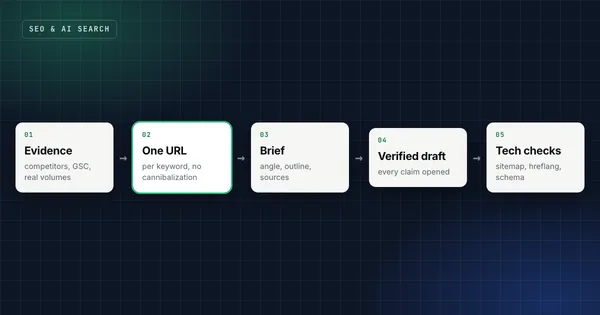
Keyword research from evidence, one URL per keyword, and articles where every claim has a source.
Get the free starter kit
Four skills that work in Claude, Claude Code and Codex alike: handover, session start, social captions and an honest exam-prep tutor. Free, so you can judge the standard.