AI Tool Consultant

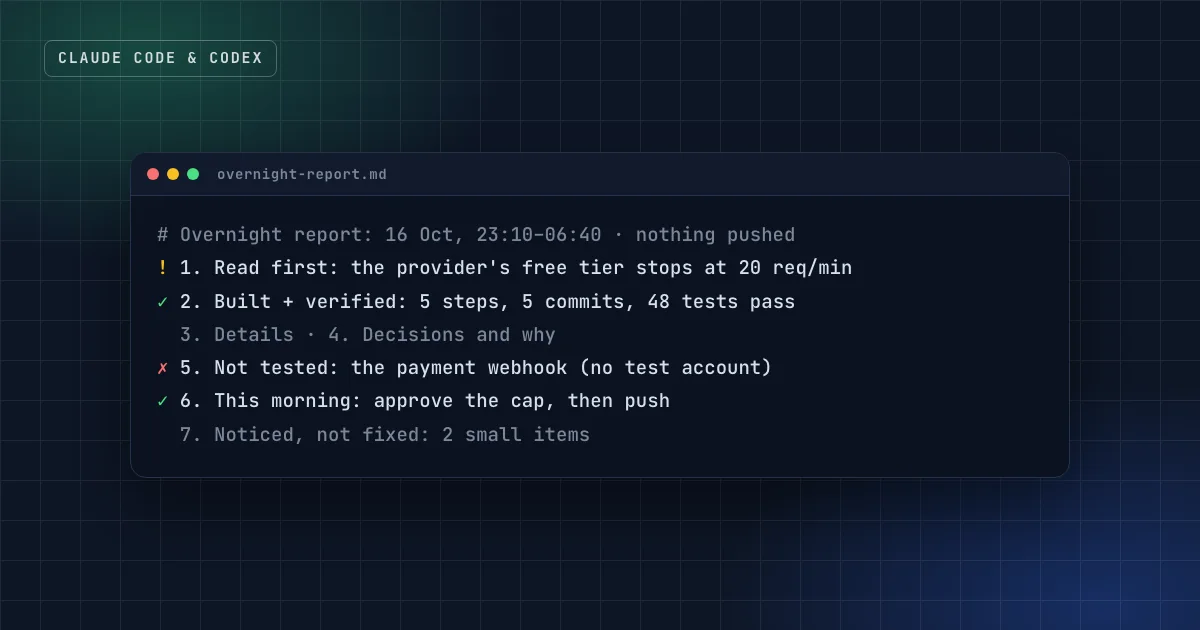
The 27 skills in this site's catalog were built in one autonomous run. It started from a written plan, committed after every step, pushed nothing and created no accounts, and ended with a report whose first point was a risk on the live site that needed a decision that day. That report, not the code, is what made the run usable.
You can run Claude Code overnight safely, but "safely" comes from setup, not from trust. This guide covers the four parts: scope, permissions, self-checks and the morning report.
At a glance
- Write the scope down first: the steps, what "done" means for each, and a no-touch list (production, other repos, accounts, data).
- Use a permission setup made for unattended work:
claude -pwith--permission-mode dontAskand an explicit allowlist, or auto mode. Bypass mode only inside an isolated container or VM.1 2 - Give Claude a check it can run (tests, a build, a script), so "done" means verified, not "looks done".3
- Commit after each step, push nothing, and keep the report updated during the run so a crash loses nothing.
- Read the report in five minutes: what to know first, what was verified and how, what failed, and what you need to decide.
What can go wrong when nobody is watching?
An agent working alone doesn't get more careless, but nobody catches its mistakes in real time. The failures that matter are the expensive ones:
- Scope creep. A small task turns into a refactor of half the codebase.
- Irreversible actions. A force-push, a deleted branch, a production deploy, an account created in your name.
- Unverified "done". Anthropic's own guide puts it bluntly: "Claude stops when the work looks done. Without a check it can run, 'looks done' is the only signal available."3
- Lost context. A crash or a context reset at 4 a.m. takes every unsaved result with it.
- Surprise costs. Long loops of paid API calls, or a run that keeps retrying the same failing step.
Each of these has a specific guardrail. None of them is "tell Claude to be careful".
Before the run: scope and the no-touch list
Write a short plan file before you start. For each step: what to build, and what "done" means in checks, not adjectives. Then a no-touch list: branches, production, other repositories, models and prompts in use, data, and anything that costs money or creates accounts.
Default guardrails for any unattended run:
- Commit after each step, one concern per commit.
- No push, no deploy, no external accounts, no deleting your content, unless the plan explicitly allows it.
- Start the report file at the beginning and update it during the run.
Which Claude Code permission mode should you use?
Claude Code's permission mode sets what runs without asking. For unattended work, nobody is there to answer a prompt, so the mode decides whether the run stalls, fails safely or does whatever it wants. From Claude Code's documentation:2
| Mode | Runs without asking | Fit for overnight runs |
|---|---|---|
default (Manual) | Reads only | No: the run stalls at the first prompt |
acceptEdits | Reads, file edits, common file commands | Partly: other shell commands still need approval |
auto | Everything, with a classifier model reviewing risky actions | Good for long tasks; the classifier blocks scope escalation and unknown infrastructure3 |
dontAsk | Reads in your working directories and pre-approved tools; everything else is denied | Good for scripted runs with an exact allowlist |
bypassPermissions | Everything | Only in isolated containers and VMs |
The documentation's warning on the last one is explicit: use it "only in isolated environments like containers, VMs, or dev containers without internet access, where Claude Code cannot damage your host system".2
A safe unattended command combines non-interactive mode, an exact allowlist and dontAsk:1
claude -p "Work through steps 1–5 in docs/plan.md. Commit after each step. Never push." \
  --permission-mode dontAsk \
  --allowedTools "Read,Edit,Bash(npm test *),Bash(npm run build *),Bash(git add *),Bash(git commit *)" \
  --max-budget-usd 20
--allowedTools uses permission rule syntax, so Bash(git commit *) allows any command starting with git commit, while git push stays denied.1 A --max-budget-usd cap stops the run, background work included, once it reaches that spend.1 Deny rules apply in every mode, so a deny rule for git push holds even if something else is misconfigured.2
Practical takeaway
Write the allowlist from the plan, not from habit. If no step needs the network, a package install or git push, leave them out, and the run can't do them.
Make "done" mean verified
The single biggest improvement to an unattended run is a check Claude can run itself. Anthropic's guide calls it "the difference between a session you watch and one you walk away from": with a test suite, a build or a script that returns pass or fail, Claude does the work, runs the check, reads the result and iterates until it passes.3
You can gate the stop at three strengths:3
- In the prompt: "run
npm testand fix failures before committing". - As a goal condition that a separate evaluator re-checks after every turn.
- As a Stop hook: a script that blocks the turn from ending until the check passes. This is the deterministic version.
And ask for evidence, not assertions: the command that ran and what it returned. Reviewing evidence in the morning is much faster than re-running everything yourself.3
During the run: evidence, honesty, momentum
Three rules keep the run useful even when things go wrong:
- Record evidence per step: the commands and their results, browser checks, screenshots. If something was simulated, say so ("the microphone was simulated with generated audio", "the checkout link is a placeholder").
- Surface surprises immediately. A data-use policy that differs from what you assumed, a security issue, a provider behaving differently than documented: it goes to the top of the report, with a link to the source.
- Skip what's blocked, don't stop everything. Record the blocker and continue with independent steps. One missing API key shouldn't cost you the whole night.
The morning report: seven sections
The owner wakes up with five minutes. The report has to answer four questions in that time: what's safe, what's risky, what to decide, and what was really verified rather than merely built. The format used for this site's own runs has seven fixed sections:
- Read this first. At most five points, surprises and risks first. It must make sense to someone who reads nothing else.
- What was built, and how each part was verified. A commit table, then per step: what was checked and how, and what was simulated.
- Details. The raw outputs that support section 1, and only those.
- Decisions I made, and why. Each with how to reverse it.
- What failed or wasn't tested. With why, and what it would take.
- What you need to do this morning. Concrete, ordered actions: decisions, account setups, reviews.
- Small things I noticed, not fixed. So they aren't lost.
The writing rules matter as much as the headings. Built, verified and tested in a browser are three different claims, so use the precise word. Write "10 curl checks: the API returns 401 without the code", not "auth works". And no secrets, keys or personal data in the report.
How to review in five minutes
- Read section 1. If there's a risk on a live system, deal with it first.
- Skim the commit table against the plan. Anything outside the plan is a question, not a bonus.
- Run the main check yourself once: the tests or the build.
- Answer the decisions in section 6, then push what you approve.
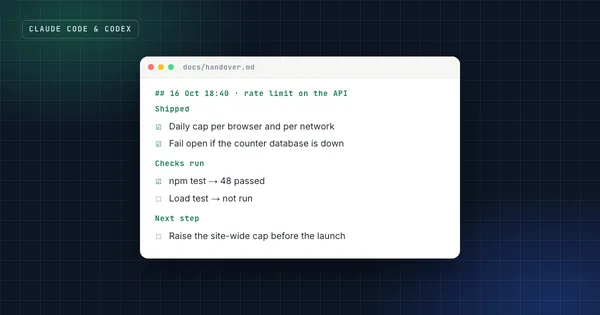
End by linking the report from the handover file, so the next session starts from it. The handover format is in the Claude Code handover guide.
FAQ
Is it safe to use --dangerously-skip-permissions overnight?
Only inside an isolated environment: a container, a VM or a sandbox, ideally without internet access, and on Linux and macOS as a non-root user. On your own machine, use dontAsk with an allowlist or auto mode instead.2
Can Claude Code push and deploy by itself?
It can if you allow it. For overnight runs, don't: leave git push out of the allowlist (or add a deny rule) and push in the morning after reading the report.
How do I stop a run that's going wrong?
Send SIGINT to end the current turn cleanly, or SIGTERM to stop the process; Claude Code then terminates any running Bash command and exits.1 Your commits up to that point are safe, which is why committing after each step matters.
Does this work with Codex too?
The method does: a written scope, an allowlist or sandbox, checks the agent can run, commits per step and the same report format. The flags differ; Codex has its own sandbox and approval settings.
Sources
- Run Claude Code programmatically, Claude Code documentation.
- Choose a permission mode, Claude Code documentation.
- Best practices for Claude Code, Claude Code documentation.
Claude Code & Codex Workflow
Run two coding agents on real products without losing the thread, or your secrets.
Get the free starter kit
Four complete skills for Claude, Claude Code and Codex: handover, session start, social captions and an honest exam-prep tutor. Free, so you can judge the standard.