AI Tool Consultant
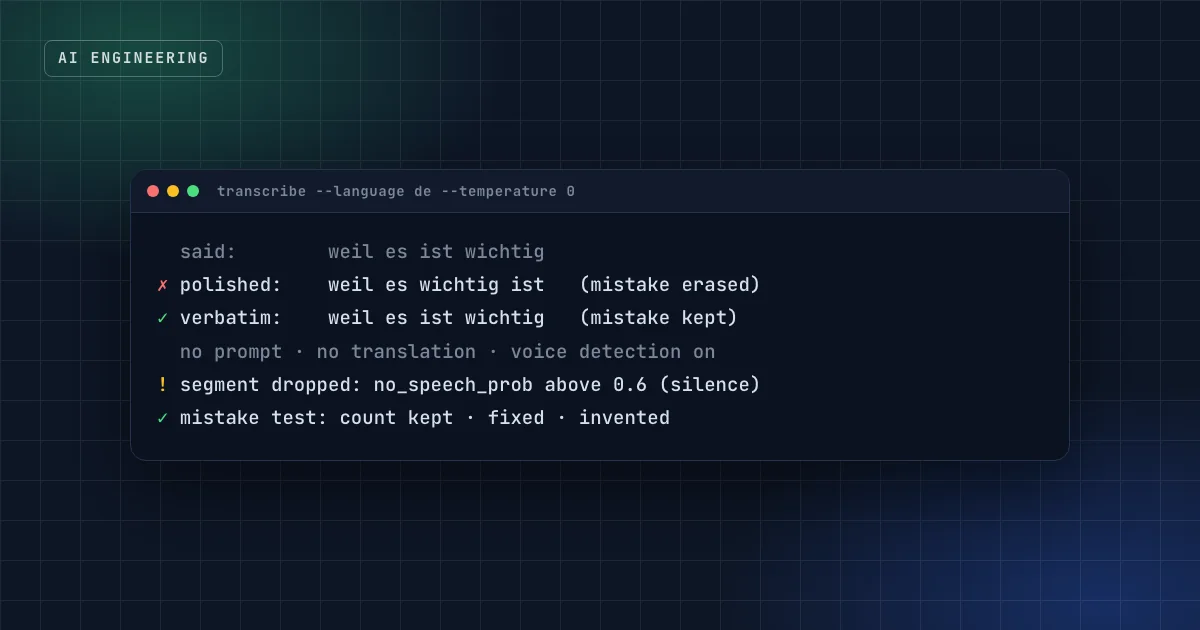
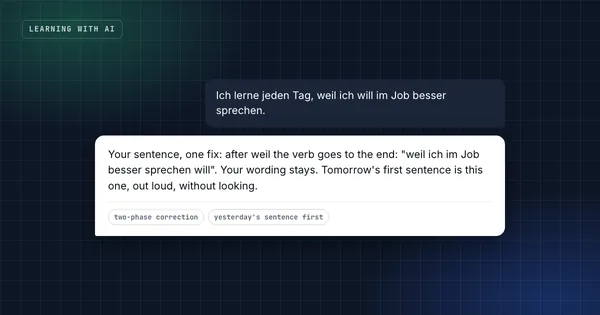
A learner says "weil es ist wichtig". A transcriber built to produce clean text writes "weil es wichtig ist". The German check then reviews a perfect sentence and finds nothing to correct, and the learner never learns that the verb goes to the end after "weil". The tool did its job well and broke the product.
That's the core problem of speech-to-text for language learning: you need software that writes down what was said, not what was meant. I ran into it while adding voice practice to a German practice app. Here's what causes it, the settings that fix it with OpenAI's Whisper model, the hallucination you get for free, and the small test that tells you whether your setup works.
At a glance
- Many transcribers, and especially language models that listen, repair grammar on the way in. For a language coach, that hides exactly what the learner needs to see.
- With Whisper: set the language explicitly, use no prompt, no translation, and temperature 0. A prompt nudges Whisper toward text that fits it, which means "fixing".
- Whisper can hallucinate on silence, writing typical subtitle lines. Cut silence with voice detection, or drop segments with a high
no_speech_prob. - Build a mistake test: recordings of sentences with known errors, the exact words written by hand, and a count of mistakes kept, fixed and invented.
- Hosted Whisper is cheap: a 4.5-minute session costs under a cent at Groq's listed price. Name the provider in your privacy notice.
Why do transcription tools fix mistakes?
Because fixing is usually the point. Speech recognition is trained and tuned to produce readable text, and readable means grammatical. Two mechanisms make it worse for learners:
- Language models that listen. Newer systems that combine speech input with a language model are excellent at producing what you meant. In tests on 4 and 5 October, one such model repaired learners' mistakes, so it's not used for revision practice or spoken answers in the app.
- Prompts and context. Whisper accepts an optional prompt to guide style and spelling.1 Whatever text you give it, Whisper tends to write text that fits it, and fitting a prompt written in correct German means producing correct German.
The same thing happens with dictation features on phones and laptops. In my own German journal, a dictation app silently corrected ten mistakes in a single entry: gender, accusative, word order. That's why the journal only accepts handwriting, typing without autocorrect, or carefully transcribed audio as evidence.
The Whisper settings that keep mistakes
Whisper mostly writes what was said, if you ask it the right way:
| Setting | Value | Why |
|---|---|---|
| Language | de (set explicitly) | Without it, a mistake can be "heard" as another language. Groq notes that supplying the language also improves accuracy and latency.1 |
| Prompt | none | A prompt conditions the output toward its own style; for learners, that means corrections |
| Task | transcribe, not translate | Translation rewrites everything |
| Temperature | 0 | Always the most likely words, no creative variation (it's Groq's default)1 |
| Response format | verbose_json | Gives per-segment scores you need for the next section1 |
You can run this locally with whisper.cpp, a C++ port of Whisper that runs fast on a laptop, for free and without sending audio anywhere. Or you can use a hosted service; the app uses Groq's hosted Whisper for speed, with the laptop version as a stand-in for tests.
The hallucination you get for free: silence
Whisper was trained on a very large and diverse set of transcribed audio.2 Faced with silence, it sometimes writes a line that's typical of that training data rather than of your recording. In German that's often a subtitle credit like "Untertitel im Auftrag des ZDF" or "Vielen Dank fürs Zuschauen", text that nobody said. Researchers studying Whisper in 2023 found that about 1% of its transcriptions contained entire hallucinated phrases, and that speech with longer pauses was affected more often.3
For a language learner, a pause is normal, so this matters. Two fixes:
- Locally: run a small voice-activity detection model (Silero VAD, for example) to cut silence before Whisper sees it.
- Hosted: use the
no_speech_probscore each segment comes with. Values close to 1 suggest silence or non-speech.1 The app drops segments above 0.6.
Practical takeaway
Whatever transcription you use, test it with your own voice saying a sentence with a deliberate mistake. If the mistake disappears, the tool is wrong for learning, however good its accuracy numbers look.
How to prove it: a mistake test
Accuracy numbers like word error rate measure how well a model gets correct speech right. For learners you need the opposite: how often it keeps incorrect speech incorrect. So build a small test:
- Write 15–30 sentences with typical learner mistakes, each with an ID.
- Record them (yourself, learners who agree, or synthetic voices for a first pass; on a Mac, the
saycommand can produce a German sentence with a mistake). - Write the exact words by hand for each recording, mistakes included.
- Transcribe with each setup you're considering.
- Count three things per setup: mistakes kept, mistakes fixed, and words invented.
Then pick the setup with the fewest fixed and invented, not the one with the best general accuracy. Groq lists whisper-large-v3 at a 10.3% word error rate and whisper-large-v3-turbo at 12%,1 but only a mistake test on real learner recordings can tell you which one keeps learners' errors better. The app defaults to large-v3.
What does it cost, and where does the audio go?
Hosted Whisper is cheap. Groq lists whisper-large-v3 at $0.111 per hour of audio and the turbo version at $0.04.1 A practice session with 4.5 minutes of speech costs about 0.8 cents with large-v3.
Cheap isn't the same as private. The recording leaves your server for the provider, so:
- Check the provider's data handling. Groq's documentation says inference requests aren't retained by default, and that logs for reliability and abuse can be kept for up to 30 days, with an opt-out in its data controls.4
- Name it in your privacy notice: the company, what's sent, the legal basis, and any transfer outside the EU.
- Offer a local option where you can. whisper.cpp on the learner's or your own machine sends nothing anywhere.
FAQ
Which speech-to-text is best for language learning?
The one that keeps mistakes on your own test set. Large general-purpose models are trained to produce clean text, so test them with deliberate errors before choosing. Whisper with an explicit language, no prompt and temperature 0 has worked well for German in this setup.
Why does Whisper write text nobody said?
Usually because of silence or noise. It was trained on audio with transcripts from the web, and with no speech it can produce a typical subtitle line. Cut silence with voice detection, or drop segments with a high no-speech probability.1 3
Can I use my phone's dictation for practice?
For practice, yes; as evidence of your mistakes, no. Dictation features tend to correct grammar silently, so your errors disappear before anyone can see them.
Does this apply to other languages?
Yes. The mechanism is the same in every language: transcribers optimise for clean text. Set the language explicitly and run a mistake test in that language.
Sources
- Speech to text, GroqCloud documentation.
- Whisper, OpenAI on GitHub.
- Careless Whisper: speech-to-text hallucination harms, Koenecke et al., FAccT 2024.
- Your data, GroqCloud documentation.
Learn German with AI
The daily method behind months of measured German progress, as skills Claude can run for you.
Get the free starter kit
Four complete skills for Claude, Claude Code and Codex: handover, session start, social captions and an honest exam-prep tutor. Free, so you can judge the standard.